Wednesday, 6 June 2018

wooohoo new Wednesday, new Learning, creating and sharing!!

Wednesday 6 June:
  1. Learn and practise :  google draw - ask Kerry on Tuesday 12 June
  2. Learn and practise:  voice typing - ask Kerry on Tuesday 12 June
  3. Find out from Kerry how to get the students work all in a folder that is set up...I’m sure this is
  4. part of Hapara?? But how do I see the work? Instead of sharing with me

Learning part of the day: visible!!
Visible for everyone, especially whanaua. Parents have access to class site and kids’ learning.
Kids also have a clear picture of what we are learning. Also open for other teachers, and help your
own planning as a teacher.  Gives you access to other /new / different ways of doing it.
FAIL = some kids unsure of learning, school can be scary for them, so this open/sharing takes this
away.
It is powerful when parents take time to actually care to comment or discuss it with their children.  
Visibility of blogs/ parents can comment.  Take away the feeling of “we are not sure what we are
learning”,
ultimate to blog about their learning. You don’t have to read the teacher’s mind, it is now on
their site and this is WHAT WHY HOW we are doing the learning.  Technology is just a tool,
we still need to explain it in real life.  Unpack the learning and success criteria together with the kids.
In Mainaikailaini :The default is VISIBLE.  All our docs are shared with everyone.
Blog commenting should be only positive. Some things should not be seen,
and should be kept offline (sharing personal data/personal info about a student etc)
Visibility :  surprise is not a fun thing in education; rather change the slides and share
this immediately with students.  Put the work up in advance; they can work through it on their own
time.
Visible = Accessible, available , advance.
We must use teacher dashboard (hapara) to ensure a safe learning environment/ to keep track;
parent portal on hapara?? Cool tool for the parents; they have access to their children’s docs/folders.
What is google class on air? Ask Kerry
Teaching as Inquiry:  (on Mainaikailaini website?) - Ask Kerry

Students should be hooked into their learning; it empowers them if USED correctly
Your site is like a shop window...we want to “sell” our site!

Unfortunately the novelty wears off...and therefore
<iframe width="560" height="315" src="https://www.youtube.com/embed/5dK04QinqZY"

frameborder="0" allow="autoplay; encrypted-media" allowfullscreen></iframe>


Behavioural engagement should be the starting point….cognitive engagement
Hook and teach!!
Chrissie Butler:  Universal design for learning
You need to know how your teachers learn...some with videos, some teacher, etc. They need to
choose what works best for them, but they need to know the different ways that learning can happen.
fferent modes of engagement:  video, make something, strengthen their learning.
(text, videos, google slides, articles etc)
Investigate Padlet
Make a site...planning!! planning , planning!!
What is multimodal...using multiple modes to teach (same topic shown in different ways)

Let’s have a play:  
So create a site:  what content to we want to have on the website
HOMEPAGE
And then all the other topics
And then all the sub-pages

We made our own site today!!
https://sites.google.com/boic.school.nz/sandpit/home

I must admit:  I feel great and empowered after today's workshop!! Thanks everyone!!


Wednesday, 30 May 2018

Wednesdays with the north land gang

Wednesday 30 May:
I need help with:
Voice typing
Hapara
Learning part of the day: Dave
Whatever you are doing, sharing is viral and available...you can share! (you don’t need to be a rock star, you must just be online and able to share)
Now we go beyond the local community...easily.  Blogger plays a huge role in this. So Why do we choose BLOGGER?
People now choose to listen to learners sharing their learning; not just the teacher. With G suite domain we have a choice of how we want this sharing to happen. We choose the Blogger profile.  Guarantees the “three check system” We (teachers and students) can change the look.
Who did you share your details with? (one direction song)
Technology can put something together, which have not been there before. To make our world a better place, to problem solve, to help thinking outside the square.
Hour of code...such fun (especially if you, like me, not know Right from Left)

ASK Kerry about professional learning blog, labels and professional standards...so Kerry what should my labels be??? Still don’t understand this?

Wednesday, 23 May 2018

My learning for today,23 May, was to create a google slide

I have created this google slide for year 9 Mathematics on statistics.  And I made a poster on the 6 C's in education

Wowee...definitely getting more digitally fluent..

Wednesday 23 May


How are you using the digital technology intentionally to feel creative and to be able to learn... To engage with the curriculum and making the best use of technology.


create : allowing our young people to be creative beings that was not part of the traditional learning in the classroom….to give the learners the opportunity to share their learning by using digital technology.


The 6 C’s of education:
Character
Citizenship
Communication
Creativity
Collaboration
Critical thinking
From this: creativity provides the avenue for EXPRESSION
You need to be able to learn, unlearn and relearn...learning is now fluid and changing
Sight, sound and motion...keywords for creativity and sharing learning
Rewindable resource…


Kent:


It is more important the we as teachers need to be creative, more creative than our students...so they don’t want to exit out of your “boring” website….be creative!!


Watch the slides: YOUTUBE fundamentals: essential reading for all teachers


Adults can self regulate, kids usually have trouble with this


https://drive.google.com/file/d/1foNE_Dwi_-aqfShKe51fUMqR9vT75mkX/view

https://drive.google.com/file/d/1J7WoAfw5qvdmGycFQ2ibHB16WWEg3VmB/view


Create a playlist:


Try and create a playlist


https://drive.google.com/file/d/1cpYyVRuQpA4oiQYocijL48lyWiBu9a1n/view


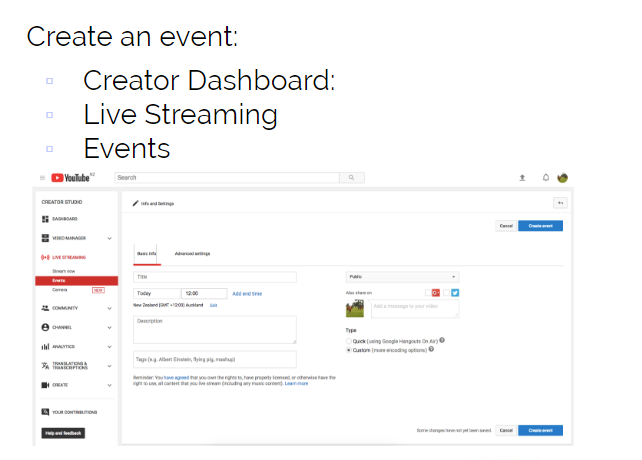
How to : Live stream (add your own content...and to create content)


3 ways:


https://docs.google.com/presentation/d/1wr_mpHZg_gPCm5ejA7C5x4ynbtW_N396T20PvyVv1nQ/edit?usp=sharing


1. Using a full HD camera (camcorder) CANON Legria HF G40: film the school news of the day


Teradek: VidiU Pro (attach to any camera, and life streaming on the spot...camera has got a SD card as well) ($1200) and can go to multiple platforms (facebook, Youtube, etc...simultaneously)


YouTube live (students create something not only because the teacher says so, but NOW because they will have a live audience...example writing a blog of a book that student read, and the author responded...wow) (live locally, participate globally) (you should be successful by staying locally, but sharing globally)


(Unlisted mean you can’t find it, unless you have the link; public it can be found by anyone)


2. Using a laptop Webcam:
  • Using YouTube


3. Using a drone
Drone ( cross country, rugby training etc)
DJI  Spark drone
($800...through warehouse was $300)
Can be programmed via the student’s chromebooks...angles, direction, create amazing maths learning rotations all through coding


Process of YouTube:  Consume ... create ... share (live streaming)


Kerry:


Exploring slides and drawing


https://docs.google.com/presentation/d/1t_KVo7n3APmr5hug5rIHn_55ooOMEKVSl9A75FAP8Uo/edit?usp=sharing


Mindmaps: https://docs.google.com/drawings/d/1yWGnqPPpse24xfQSrWiwErubYIFtbLZg6oFE5nNflXM/edit


Vocab list: https://docs.google.com/drawings/d/1lmJE1WcoXWNNV4HtpO71eJIm4G1pxeE5Qmi9c6tWpZk/edit


How to make a google drawing:


https://drive.google.com/file/d/1_AP5wTy9GsRaPxLtTokntfE-04MK3MS_/view


Kent:


SISOMO
sisomo: sight, sound, and motion.
Keep it simple; make your own template


https://www.slideshare.net/jcolman/wicked-ambiguity-solving-the-hardest-communication-problems/1?src=clipshare


Embrace blank slides; talk about it, don’t read off it
Make your own formats; your own design
Tips and tricks:  
Comments will only be seen by teacher

For instructions put a comment in text box

How to embed the google slide that I've created to my blog:
https://drive.google.com/file/d/1B5TaTVr8ap2zWVqNg5YCOo4q61eVBb3G/view


Wednesday, 16 May 2018

video of 18 May learning on screencastify

Here is the video of my learning

Tired Mina on 18 may

Wednesday 16 May:


Want to know more: ask Kelly

  1. Voice typing
  2. Using google maps for Maths learning


Learn:
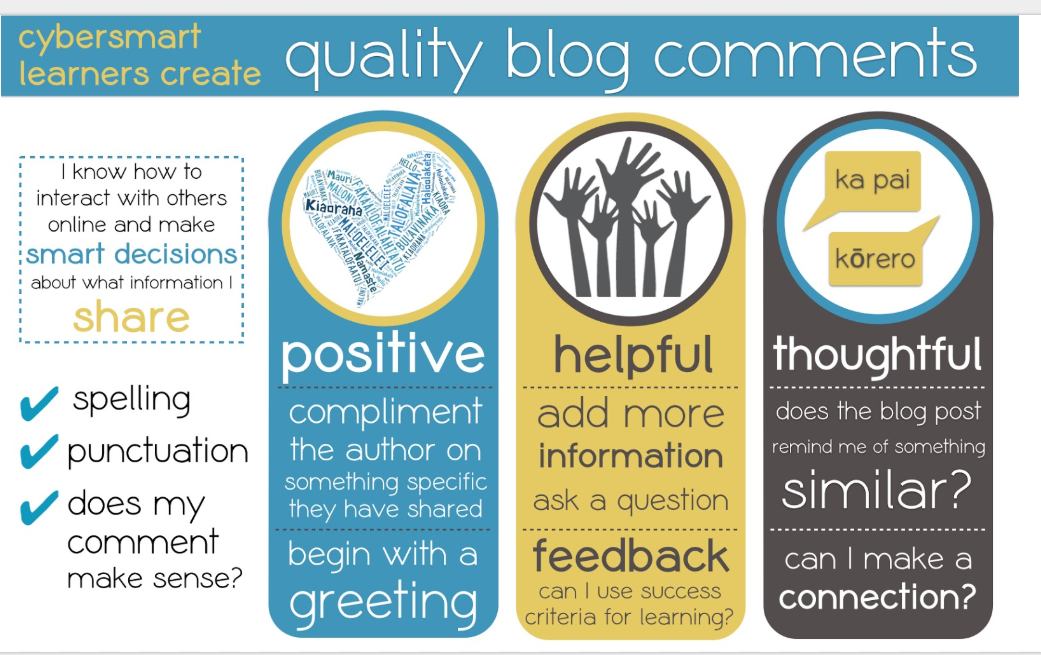
Being Cybersmart


Surfing on line….teach them how to be specific in their searching
Being cybersmart empowers our young people to become confident
decision makers when they share and interact online.
Blogging is the ideal place where we can see this…
Remember the Cyber Smart program is ALWAYS positive...
helpful, thoughtful..
Impact on learners:

Omnibox:  the top of the url...ask Kerry to explain
Insert screenshot and where they go?(where do they save?)
   Ask Kerry how to hover and insert screenshot easy way
Ask Kerry about slide 7 (chromebook presentation) ( digital dig)
check these cool shortcuts out:
I also had trouble with how to insert my "snips" into my blog, so I made a video of how to do this:


About visibility and access (not monitoring and filter tool)
Dashboard to see you student’s work = they don’t have to share
EVER
To see the work students have not saved:


To teach them to put it in a folder; not going out to lunch until it is
filed into maths folder
How to find the maths work/folder...where? help Kerry

Click on the right (looking glass)

Also search the name of doc or untitled/unnamed
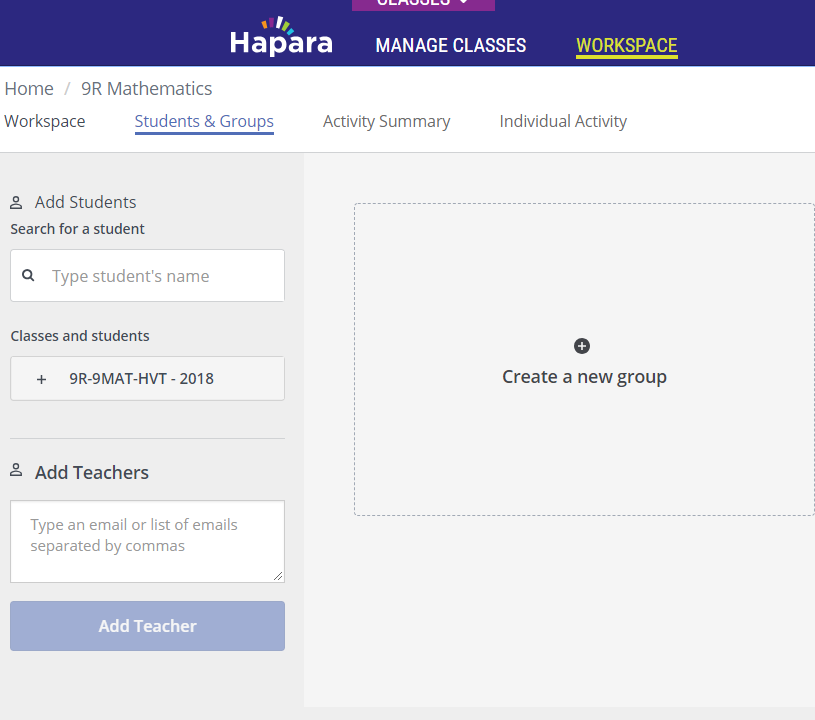
To make groups click on the people icon  ….ask Kerry to help
setting up groups


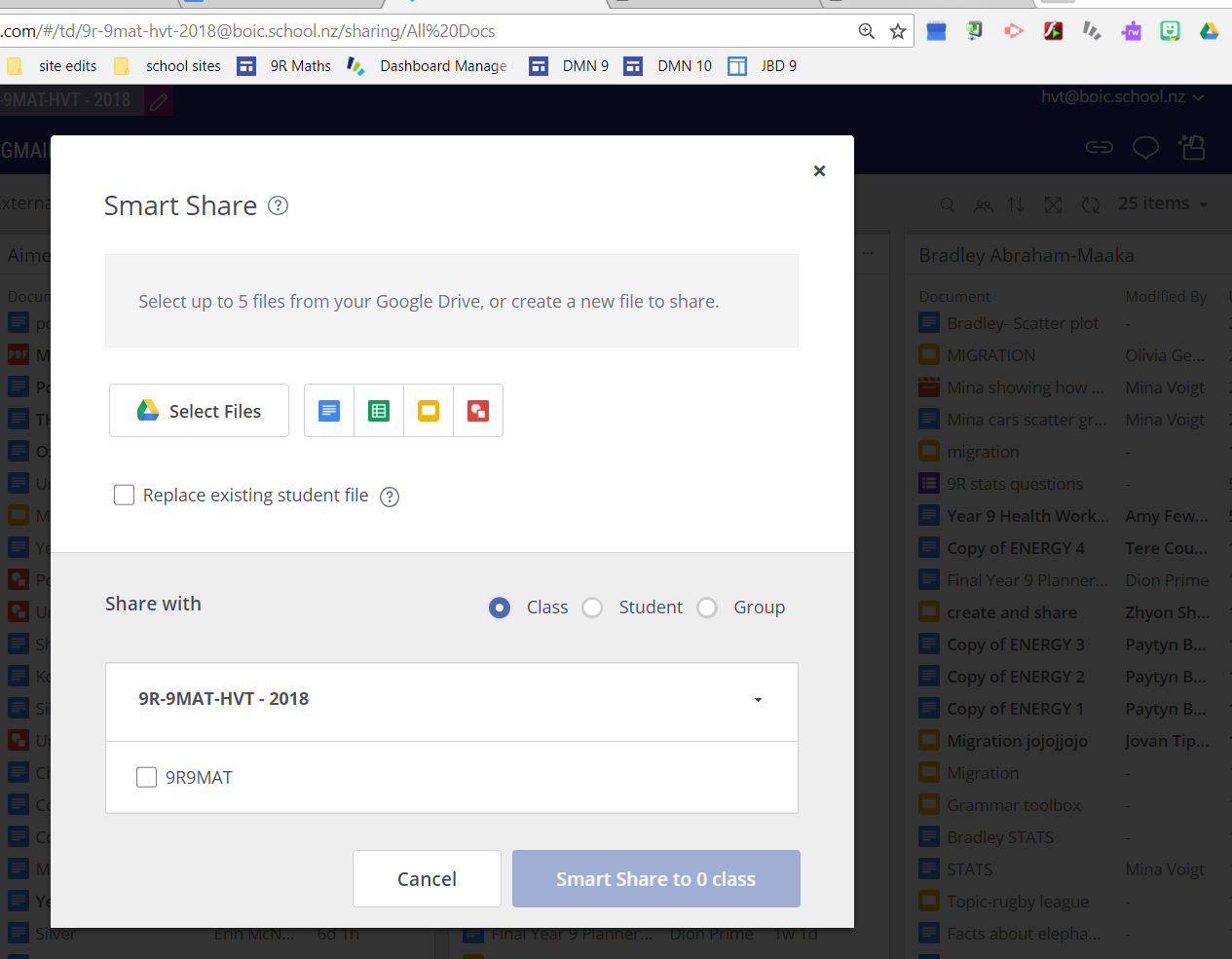
Smart share:
Gadget to get the doc in the right folder for students
Click on the SHINY folder on the top right


Teacher says:
Go to the math folder find it and we are working on this document
today
So you are clicking on this and you do you work on this:
Choose who you want to share with:
Class….student….group
Highlights:
What they are doing right now…
If they are off task
Put them in a group and focus browsing Look at the image below...
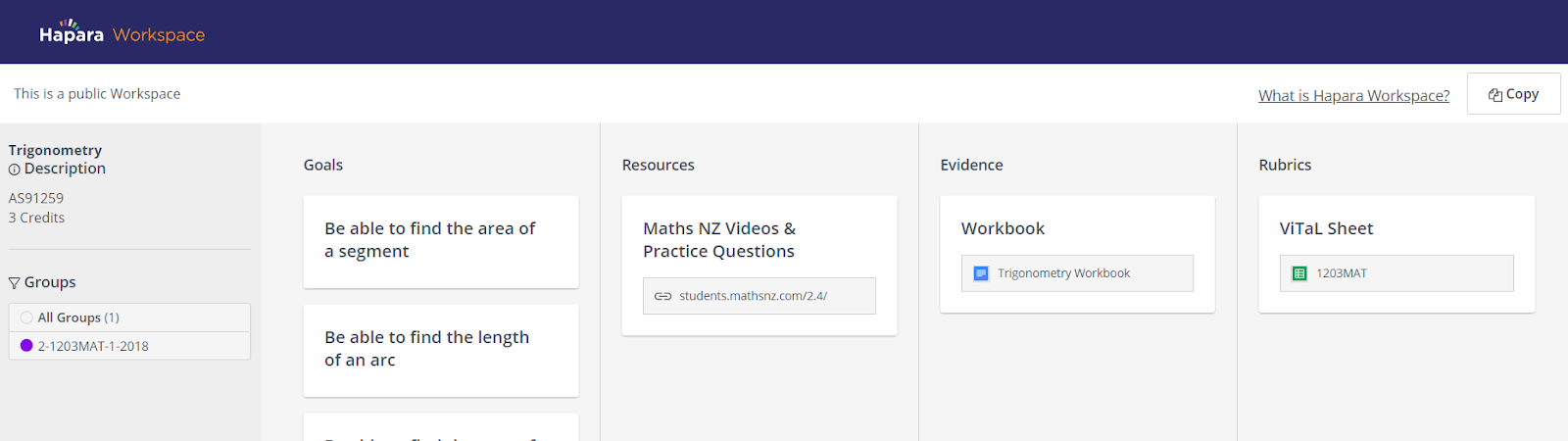
Workspace
Set tasks for class or groups
To find their work the student goes to...ask Kerry how/where?
The kids who won’t stay on task
Limit ...look at the image above


Make your own workspace


Ask Kerry for more help with work space; how to create and make it look pretty!!


Most exciting thing...if it is made public, you can search for it in public workspaces and you can copy it….make it your own…
If you are not sure how to start, look at that


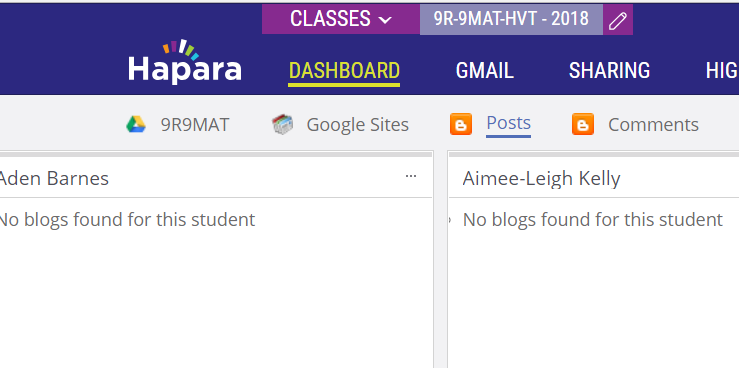
Blog posts
You can also click on their comments received by clicking
the B comments


IPADS


Questions for Kerry:
PLEASE HELP
Workspace on Hapara

    1. Please explain what is omnibox
    2. What are the labels?
    3. How do I link this to my appraisal?/teaching as Inquiry??
Want to know more from previous weeks:
1. Voice typing

2.Using google maps for Maths learning


Wednesday, 9 May 2018

Wednesday 9 May: google forms and more

πŸ‘€ Wow, at this stage it feels as if my head has exploded...so filled with new things on google... but so excited to be able to do all these "cool" things that I usually watch other people do!!


This is the map that I've made today.
Wednesday 9 May in Kaikohe:  Northland College:


What does it look like if we have digital learning…
Effective teaching/accelerated learning


What does learn mean for my community

...challenges and needs..raising student achievement...
empower the learners...access for all learners...should be intentional, focused, evidence based.
..to support community of learning from analogue world to the digital world...effective teachers
/accelerate our learning…


Learn:  RAT


Recognise
Amplfiy
Turbocharge….in digital learning environment


What does it look like?
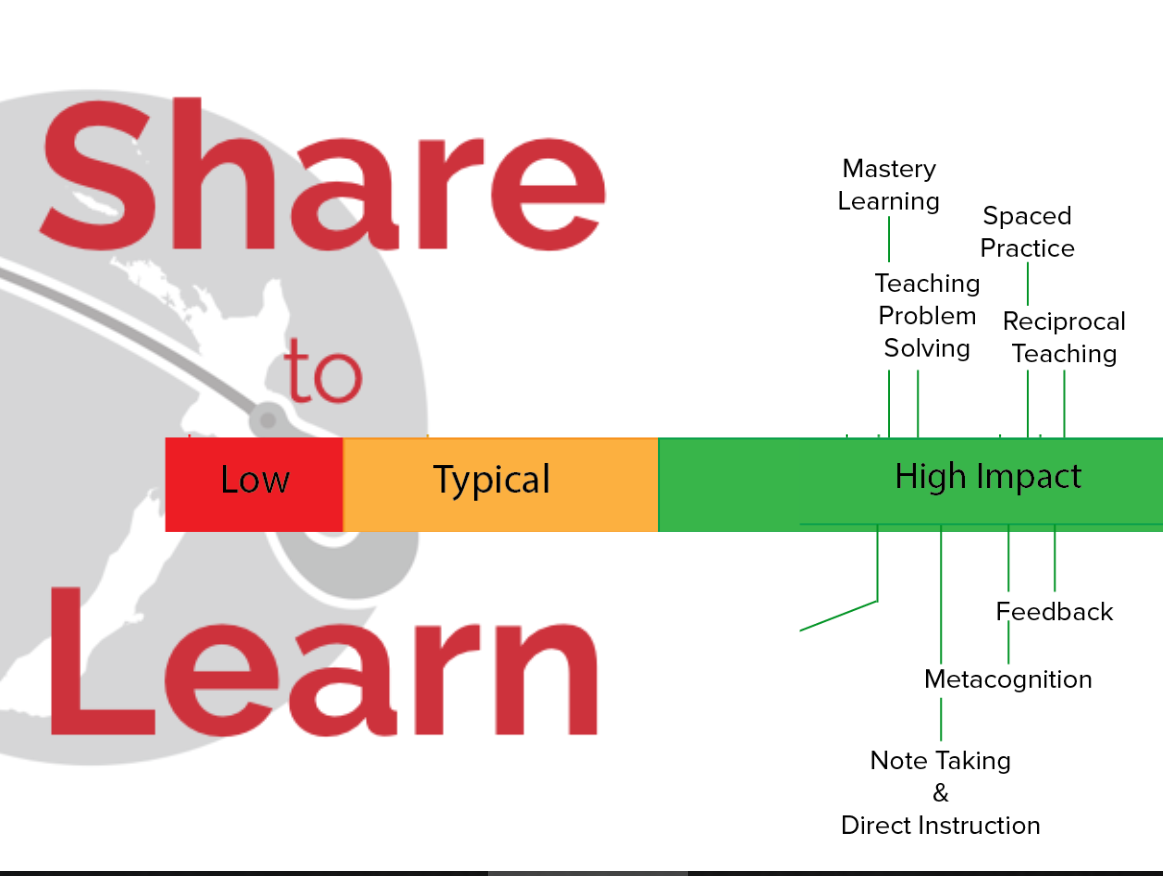
Recognise effective practise so  CREATE SHARE LEARN ...empowered (they know how it works_
TEACHER ACTIONS:

  1. Create supportive learning environment
  2. Encourage reflective thought and action
  3. Enhance relevance of new learning
  4. Facilitate shared learning
  5. Make connections prior to learning
  6. Provide sufficient opportunities 2 learn
  7. Enquire into teacher=learner relationship

What PLD programmes do we have in our school...what works? And what does not work?
What does LEARN look like in my school?? Keeping ourselves safe, reading together, etc.


Create a graphic what does learning look like in OUR school….


“Teachers cause learning”....make a graphic/take a photo ..world class teacher/ effective teaching
practise


Great teaching  + digital affordances  = acceleration

what does it mean with the term: ubiquitous


Evidence:
Increased complexity through learning….watch the video :  more teacher time


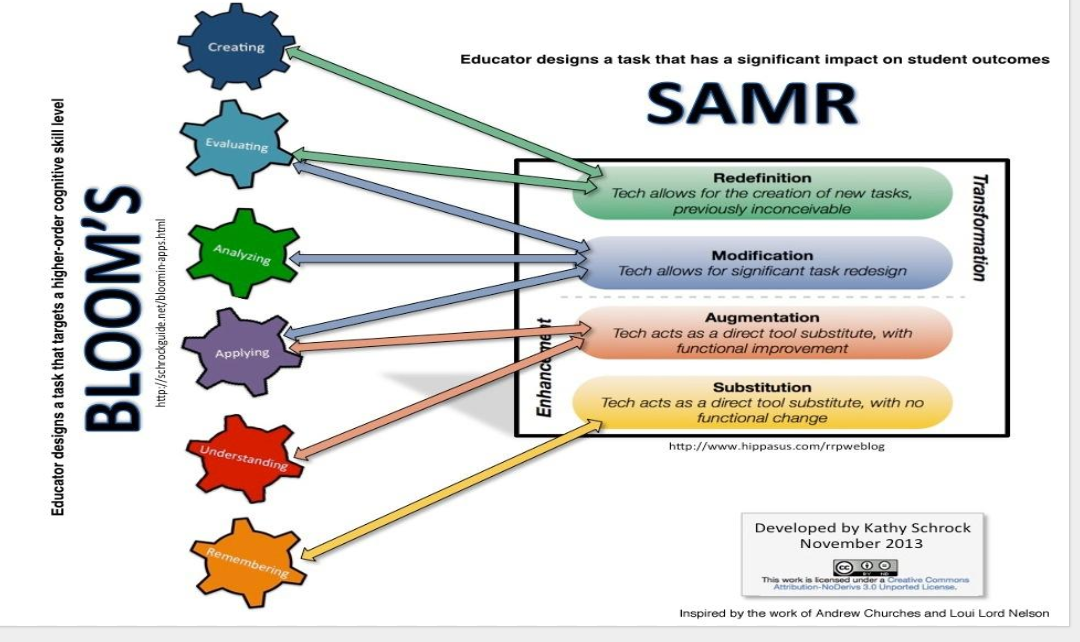
Fits into the BLOOM’s :


Rewindable learning:


I've made a few videos of my desktop to remind me about what we were taught today.

What is Manaiakalani Google Class OnAir??


Making a google sheet:  Quiz


Spread sheets
* videos:


* Sum and average:


* Using explore

https://www.w3schools.com/


😫 ASK KERRY ON TUESDAY: 15 MAYπŸ‘€πŸ˜”

2. WHAT did you mean with: Extra google sheets😟
4. How to change the way my blog looks (background color etc)
5. tooo tired...how do I use: https://www.w3schools.com/
iframe width


Thank GOODNESS for Kerry in my life....the answer to all my google questions!!!πŸ˜“πŸ˜Š